
Updated . A 4-minute read by the BundlePilot team at Boldnsmart.
BundlePilot is a Shopify app built for this. See it on the Shopify App Store.
Why a bundle with its own stock drifts
A bundle made as one product keeps its own count. The tree, the pot and the card then get adjusted by hand, and the bundle can stay on sale after one of its parts has run out.
How stock works in BundlePilot
- Real products. Each part is your own product with its own inventory.
- Split at cart time. A Shopify Cart Transform function expands the bundle into its parts, so stock and orders stay per item.
- Sold out, not a failed checkout. If any part is out of stock, the bundle shows Sold out.
Set it up step by step
- Install BundlePilot
Install it from the Shopify App Store. The setup guide on Boldnsmart walks through the install and the theme editor.
- Build the bundle from products you stock
Use products that already track inventory. Each one stays your own product inside the bundle, with its own count.
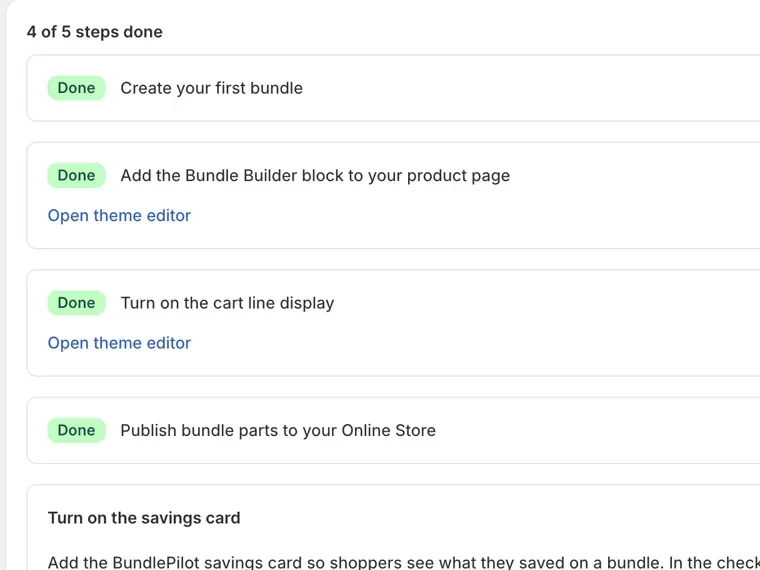
- Publish every part to your Online Store
The Setup page lists any part that isn’t published, each with a Publish link. Otherwise a sold-out option can still show as available.
- Test it
Set one part’s stock to zero and check that the bundle’s Add to cart switches to Sold out.
If a bundle shows Sold out
One of its parts is unavailable. Restock that part, or replace it in the bundle.